
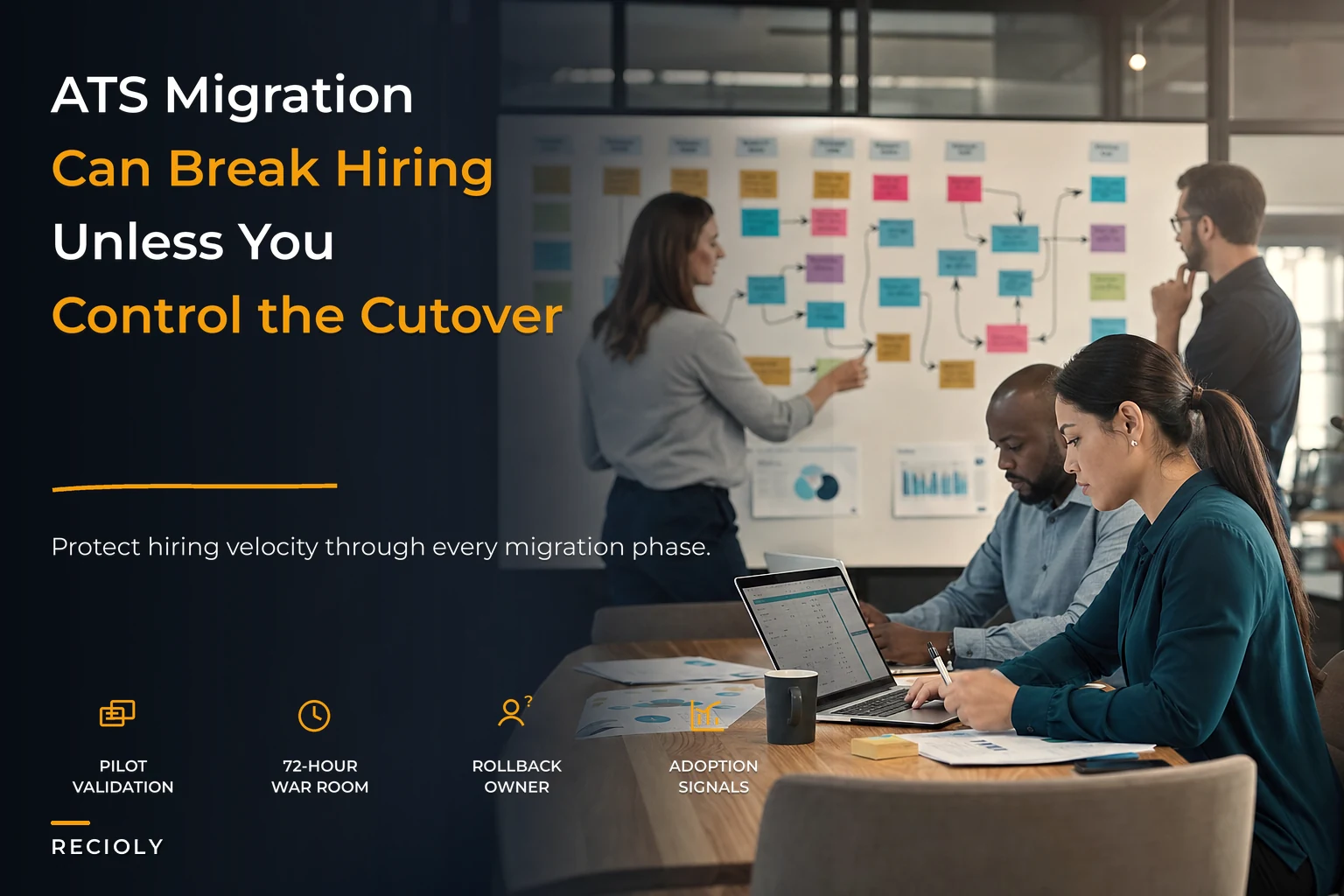

Most ATS migrations don't fail because the new system is bad. They fail because nobody planned for the two months where both systems are half-alive, requisitions are open in two places, and a recruiter's automated interview reminders quietly stopped firing three weeks ago — and nobody noticed until a candidate ghosted.
The tooling migration is the easy part. Vendors handle data mapping, run a couple of test loads, and hand you a shiny new instance. What breaks is everything wrapped around the ATS — the SLAs, the automated nudges, the reporting your leadership stares at every Monday, the muscle memory of 40 recruiters who know exactly which button to click. That's where hiring velocity leaks out.
This playbook treats ATS migration change management as an operations problem, not a data-loading problem. The goal isn't "get onto the new system." It's "get onto the new system without any candidate, hiring manager, or recruiter feeling a difference in speed." Those are very different projects.
Why ATS migrations quietly destroy time-to-fill
Most migrations follow the same pattern when they go sideways.
The project plan looks clean: extract data, map fields, load, train, go live. Leadership signs off on a date. Then reality shows up. The old system had 14 automated triggers built over four years — offer approvals, interview reminders, rejection emails, hiring manager escalations after 48 hours of inactivity. Half of them were built by someone who left the company. Nobody has a complete list. So when you cut over, maybe nine of those automations get rebuilt and five just... don't.
For the first three weeks, nothing looks wrong. Then time-to-fill creeps up. Candidates sit in "interview scheduled" for six days instead of two because the reminder that used to poke the coordinator isn't running. Rejection emails aren't going out, so candidate experience scores tank and Glassdoor picks it up. Hiring managers stop getting the nudge to submit feedback, so scorecards pile up and offers stall.
None of this shows up as a single dramatic failure. It's a slow bleed. And because the migration "succeeded" — the data loaded, people logged in — nobody connects the rising time-to-fill to the system change until a quarter later.
The second failure pattern is the reporting gap. Your old system tracked source, stage velocity, and recruiter load a certain way. The new one categorizes stages differently. The moment you cut over, your trend lines break. You can't tell if things got slower because the process broke or because the definition of "in-process" changed. Teams flying blind here tend to overcorrect on gut feel, which is worse than no change at all. If your reporting foundation was already shaky, migration exposes it hard — this is a good moment to revisit how you'd build a minimal recruitment analytics foundation so you're not comparing apples to a completely different fruit.
The core principle: never cut over blind
The single most important decision in a migration is refusing the "big bang" cutover — where you flip everyone to the new system on a Friday and pray on Monday.
Never lose track of top talent again.
Recioly helps you manage every stage of recruiting efficiently, from application to offer.
- Centralized candidate tracking
- Automated interview scheduling
- Collaborative hiring workflows
No credit card required
Big bang works for a 5-person team with 20 open reqs. It does not work once you have multiple business units, regional compliance rules, integrations with background check and assessment vendors, and dozens of automations. At that scale, the blast radius of a single missed dependency is enormous.
The alternative is a phased timeline with rollback gates — pilot, parallel, cutover, deprecation — where at each phase you have a defined go/no-go decision and a documented way to retreat if the numbers go bad. The whole point is that you never let disruption exceed a controlled boundary. If something breaks in the pilot, it breaks for 8 reqs, not 800.
Phase 1: Pilot
The pilot is a controlled slice. You pick a subset of the business — one team, one region, or one role family — and run their live hiring on the new system while everyone else stays on the old one.
The mistake here is picking the easiest team for the pilot. That gives you false confidence. Pick a team that's representative of your real complexity: has approval chains, uses at least two integrations, and hires at a steady enough clip that you'll generate real data within four to six weeks. You want the pilot to surface problems, not hide them.
What a good pilot slice looks like
-
Volume
enough reqs to see stage transitions repeatedly. Somewhere around 10–20 active reqs works. Fewer and you can't tell signal from noise.
-
Complexity
includes at least one multi-stage approval and one external integration (background check, assessment, or scheduling).
-
People
3–5 recruiters and a couple of hiring managers who are willing to give honest feedback and won't just suffer in silence.
-
Duration
run it long enough to see candidates move from apply to offer at least a handful of times. For most teams that's 4–6 weeks.
Pilot success criteria (define these before you start)
You need hard gates, not vibes. Write these down and get sign-off before the pilot begins, or you'll rationalize a bad result after the fact.
| Metric | Pass threshold | Why it matters |
|---|---|---|
| Time-to-fill (pilot reqs) | Within 10% of baseline | The whole point is preserving velocity |
| Automation firing rate | ≥ 98% of expected triggers fire | Silent automation failure is the #1 killer |
| Data integrity spot-checks | ≥ 99% of records match source | Catches mapping errors before scale |
| Recruiter task completion time | No meaningful increase | If the new system is slower per action, it compounds |
| Candidate-facing errors | Zero broken links/wrong-name emails | Directly hits candidate experience |
| Recruiter confidence (survey) | Majority say "ready to scale" | Adoption predicts everything downstream |
If any of these fail, you don't proceed to parallel. You fix and re-run the pilot. That discipline is what separates migrations that hold velocity from the ones that limp.
A pilot script for one requisition
-
Create req X in the new system using the standard template. Confirm approval routing fires to the right approver within the expected window.
-
Post to your two primary channels. Verify the posting appears correctly and the apply flow works on mobile.
-
Move a test candidate (or a real early applicant) through screen → interview → offer, pausing at each stage to confirm the expected automation fires: reminder emails, feedback requests, rejection notices.
-
Trigger the background check integration and confirm the status syncs back into the candidate record.
-
Log any moment where you had to do something manually that the old system did automatically. Those are your automation gaps.
Log manual workarounds during the pilot — they become your highest-value automation backlog.
That last step — logging manual workarounds — is the highest-value output of the pilot. Every workaround is a future SLA leak at scale.
Phase 2: Parallel
Parallel running is where both systems are live at once for the pilot group, and you're reconciling data between them. This is the phase everyone wants to skip because it's genuinely annoying — double entry, reconciliation, two sources of truth. Skip it anyway and you lose your safety net.
The purpose of parallel is to prove the new system produces the same outcomes as the old one on identical inputs. You're not just checking that data loaded; you're checking that a candidate who applies today lands in the right stage, triggers the right emails, and shows up correctly in reporting on both systems.
In practice, parallel usually runs two to four weeks. Longer than that and the double-entry burden causes recruiters to quietly stop maintaining the old system, which destroys your comparison. You need a hard end date.
What to reconcile during parallel
-
Stage counts
does each stage hold the same number of candidates in both systems?
-
Automation logs
did the same triggers fire in both, at the same times?
-
Reporting output
does time-to-fill, source breakdown, and recruiter load match between old and new?
-
Integration status
are background checks, assessments, and calendar syncs landing identically?
Any discrepancy over a small tolerance gets logged and root-caused before you exit parallel. The reconciliation log becomes your evidence that cutover is safe.
One practical note: parallel is exhausting for recruiters. Be honest about that and don't stack it on top of a hiring surge. Running parallel during your busiest quarter is how you get burnout and sloppy data. If capacity is already tight, that's a scheduling problem to solve before the migration window opens.
Phase 3: Cutover
Cutover is the moment the pilot group — and then subsequent groups — go fully onto the new system and the old one becomes read-only for them. Done in waves, not all at once.
The wave approach matters. After a successful pilot and parallel run, roll out to the next business unit, then the next. Each wave gets a compressed version of pilot + parallel because you've already de-risked the system generally; you're now only validating that unit's specific approval chains and integrations.
Cutover checklist
-
[ ] All automations for this group verified firing in a final test (offer approvals, reminders, rejections, escalations)
-
[ ] Every open req has an assigned owner in the new system, no orphans
-
[ ] Integrations authenticated and status-syncing confirmed live
-
[ ] Reporting definitions locked and mapped to old-system equivalents so trend lines survive
-
[ ] Rollback runbook printed and owner assigned (not "somewhere in Confluence")
-
[ ] Old system set to read-only for this group — not deleted, read-only
-
[ ] Recruiter quick-reference guide distributed
-
[ ] A named "war room" contact available for the first 72 hours
-
[ ] Baseline metrics snapshot taken the day before cutover
That last item is quietly critical. Snapshot your time-to-fill, stage velocity, and open-req counts the day before you cut over. Without a fresh baseline you can't prove whether the new system helped, hurt, or held steady — and you'll spend the next quarter arguing about it with no evidence.
The first 72 hours
The window right after cutover is where problems either get caught fast or fester. Staff a war room — even a shared channel and one on-call ops person — for the first three days. Recruiters need somewhere to report "this email didn't send" immediately, and you need someone watching the automation logs in near-real-time. Most catastrophic migration stories trace back to a broken automation that ran silently for two weeks because nobody was watching during the critical early window.
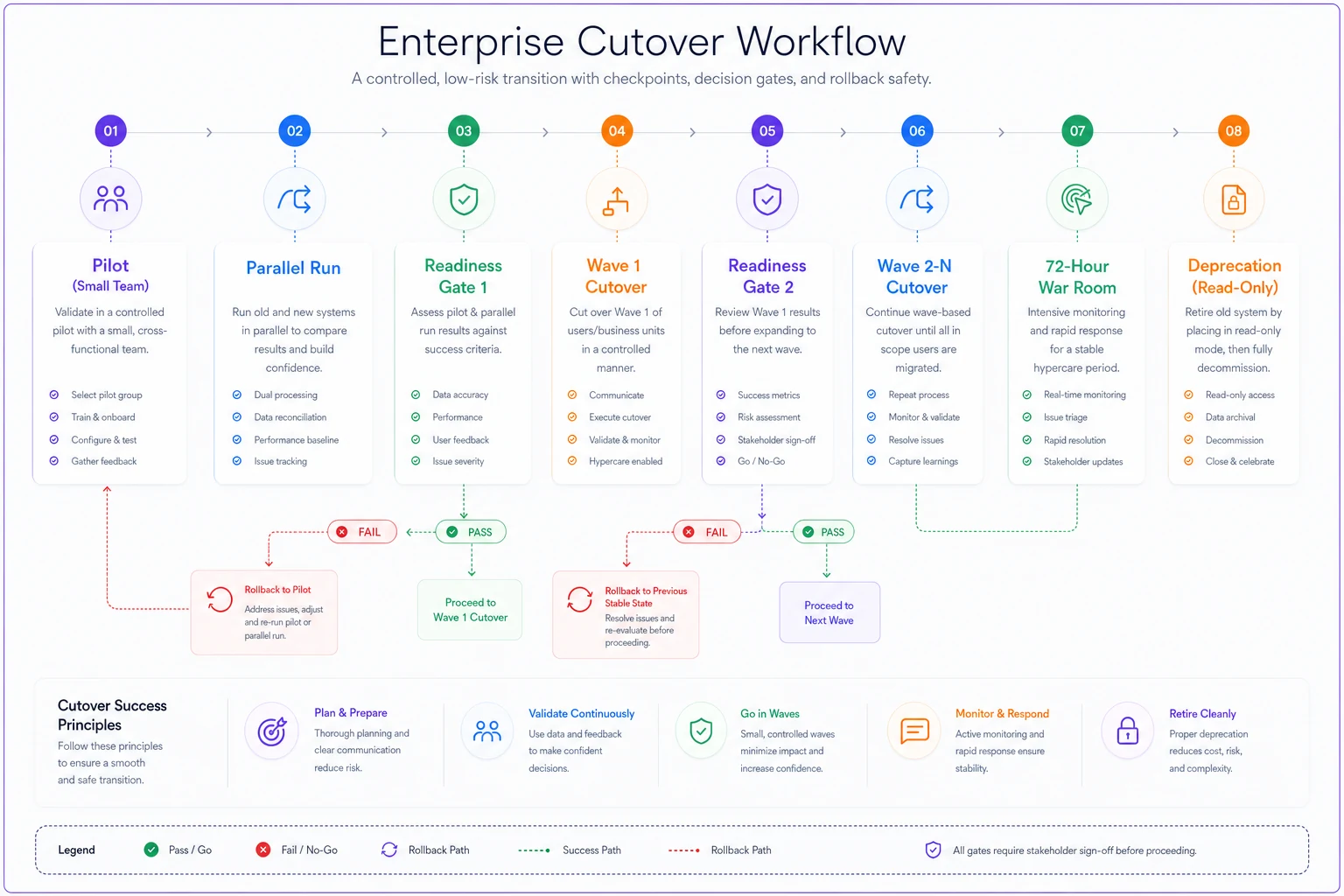
The diagram above shows the phased flow and the safety gates you should have in place during cutover, emphasizing monitoring and rollback paths.
Phase 4: Deprecation
Deprecation is decommissioning the old system — and it's the phase people rush, which creates compliance and data problems later.
Don't kill the old system the day after cutover. Keep it read-only for a defined retention window so you can pull historical records, satisfy audit requests, and recover from any delayed data issue. How long depends on your data governance and regional requirements, but a common range is 90 days to a year of read-only access before full archive.
Before you fully deprecate:
-
Confirm all historical data needed for reporting has been migrated or exported in a queryable format.
-
Confirm any legally required records (candidate consent, decision logs, EEO data) are preserved per your retention schedule.
-
Confirm no integrations still point at the old system.
-
Document where archived data lives and who can access it.
The failure mode here is discovering six months later that a key historical report can only be built from the old system — which you already turned off. Export first, deprecate second.
SLA-preserving automation recipes
This is the part that actually protects time-to-fill. The goal is that every automation the old system ran gets rebuilt, tested, and monitored on the new one — with alerting when a trigger fails to fire.
Modern ATS platforms and the workflow layers around them handle a lot of repetitive coordination that used to eat recruiter hours: routing, reminders, escalations, status syncs. During a migration, those are exactly the pieces most likely to silently break. The discipline is simple: inventory every automation, rebuild it, and add a failure alert.
Recipe 1 — Stage-stall escalation. If a candidate sits in any stage past its SLA (say, 48 hours in "interview scheduled" without a confirmed time), automatically nudge the coordinator. If it's still stalled at 72 hours, escalate to the recruiter's manager. This is the single automation that prevents the slow-bleed time-to-fill creep after cutover.
Recipe 2 — Feedback-request loop. When an interview is marked complete, automatically request the scorecard within an hour, re-nudge at 24 hours, and flag the req if feedback isn't in at 48. Stalled feedback is one of the most common hidden causes of offer delays.
Recipe 3 — Approval routing with auto-escalation. Offer and req approvals route to the right approver and auto-escalate if untouched past a threshold. Rebuild this exactly as it was — approval delays are pure dead time in your funnel.
Recipe 4 — Candidate-facing status automation. Rejection emails, application confirmations, and next-step communications must fire reliably. A broken rejection automation doesn't slow time-to-fill directly, but it wrecks candidate experience and shows up publicly.
Recipe 5 — Integration status sync. Background check and assessment results should auto-update the candidate record and move them to the next stage when clear. Manual status-checking is a huge silent time sink at scale.
For each of these, the migration-specific move is the failure alert: if an expected trigger doesn't fire within its window, someone gets notified. During normal operations you might not need this. During and right after a migration, it's the difference between catching a broken automation in an hour versus three weeks.
User-adoption KPIs
A migration can be technically perfect and still fail if recruiters quietly revert to spreadsheets and email because they don't trust the new system. Adoption is a first-class metric, not an afterthought.
Track these weekly through the migration and for a month after each wave:
-
Active usage rate
percentage of recruiters actually working reqs in the new system vs. shadow-working in old tools or spreadsheets.
-
Feature adoption depth
are people using scorecards, automations, and reporting, or just the bare minimum to log a candidate?
-
Task completion time trend
is per-action time dropping as people get comfortable, or staying stubbornly high (a sign of a real UX problem)?
-
Support ticket volume and themes
rising tickets aren't bad early on; the same ticket theme recurring after two weeks means a training or config gap.
-
Recruiter confidence pulse
a quick recurring survey. Sinking confidence predicts a stalled rollout before the metrics show it.
Adoption follows training, and training follows how you onboard people onto new workflows. If your migration coincides with new hires, the same principles from a strong recruiter onboarding checklist apply — role-specific milestones and early metrics work just as well for "onboarding a veteran recruiter onto a new system" as for a new hire.
Rollback gates and runbooks
A rollback gate is a pre-defined condition that, if breached, triggers a decision to retreat to the old system for the affected group. You define these before cutover because in the heat of a bad launch, nobody wants to admit failure and reverse — so people push through a broken migration and cause far more damage than a clean rollback would have.
Sample rollback triggers
-
Automation firing rate drops below roughly 95% and can't be fixed within the first business day
-
Time-to-fill for the migrated group jumps more than roughly 20% with no other explanation
-
A data integrity issue is discovered affecting candidate records
-
A compliance-relevant failure (consent records, required communications) is detected
A rollback runbook, in order
-
Declare. The named decision-owner calls the rollback based on a triggered gate. No committee debate mid-crisis — the gate already decided.
-
Freeze. Stop new activity in the new system for the affected group to prevent further divergence.
-
Reactivate. Switch the old system back from read-only to live for that group. (This is why you never delete it during deprecation windows.)
-
Reconcile. Bring any activity that happened in the new system back into the old one using your reconciliation log from the parallel phase.
-
Communicate. Tell recruiters, hiring managers, and any affected candidates' recruiters exactly what changed and what to do now.
-
Root-cause. Figure out what broke, fix it, and don't re-attempt cutover for that group until the fix is validated in a re-run.
The teams that can roll back cleanly are the ones that never actually need to, because the safety net lets them make honest go/no-go calls instead of pushing broken launches.
Sample communications
Under-communicating is how you lose recruiter trust. Over-communicating a little is nearly free. A simple cadence:
Two weeks before a wave (to recruiters and hiring managers): "On [date], the [team] hiring workflow moves to [new system]. Your open reqs come with you — nothing gets lost. For the first 72 hours, post any issues in [channel] and [name] will respond immediately. A one-page quick guide is attached. The old system stays available read-only if you need to check history."
Day of cutover (to the same group): "[New system] is now live for [team]. Old system is read-only for reference. If an email doesn't send, an approval doesn't route, or anything feels off, flag it in [channel] right away — don't work around it silently, because a workaround hides a problem we need to fix for everyone."
One week after (to leadership): "[Team] cutover complete. Time-to-fill holding within [X]% of baseline, automations firing at [X]%, adoption at [X]%. [N] issues surfaced and resolved. Next wave: [team] on [date]."
That middle message — "don't work around it silently" — is worth repeating in every channel you have. Silent workarounds are how broken automations survive for weeks.
When phased migration is overkill (and when it's essential)
When you can skip the heavy process: a very small team, a handful of open reqs, few or no automations, and no compliance complexity. If you're a 4-person recruiting team with 15 reqs and two integrations, a lightweight cutover over a weekend with a day of parallel checking is probably fine. Full four-phase machinery would cost more than it saves.
When phased migration is non-negotiable: multiple business units, regional compliance requirements, a web of integrations, dozens of automations built over years, or hiring volume high enough that a week of degraded velocity means real missed hires. At that scale, the cost of a botched big-bang cutover dwarfs the cost of running the phases.
Who should not attempt a self-managed migration at all: teams with no clear system owner, no reporting baseline, and no documented automation inventory. If you can't answer "what automations do we currently run and who owns them?" you're not ready to migrate — you're ready to document, and then migrate. Trying to move a system you don't fully understand is exactly how the silent-failure disaster happens.
A realistic scenario
A mid-sized company — roughly 30 recruiters across two regions, around 200 open reqs at any time — moved off a legacy ATS. Their first instinct was a single weekend cutover. Someone pushed back and they ran phases instead.
The pilot (one region's engineering hiring, about 15 reqs) surfaced the thing that would have wrecked a big-bang launch: the old system had an interview-reminder automation nobody had documented, and it hadn't been rebuilt. In a full cutover, that gap would have hit all 200 reqs silently. Because it surfaced in a 15-req pilot, they caught it in week one when a recruiter logged it as a manual workaround.
They fixed it, re-ran the relevant pilot checks, moved through a three-week parallel run, then cut over in two waves by region. Time-to-fill wobbled in the first week of each wave — up maybe 8–10% — then settled back to baseline within about two weeks as adoption climbed. No rollback was needed, but the runbook existed and the old system stayed read-only for a quarter, which mattered when finance requested a historical source-of-hire report that only the old system's data could answer cleanly.
The outcome wasn't dramatic. That's the point. The whole objective of good migration change management is a non-event — candidates never noticed, hiring managers barely noticed, and time-to-fill held. Boring is the win.
Where to focus first
If you're staring down a migration and don't know where to start, the sequence is: document your current automations and their owners, snapshot your reporting baseline, then design your pilot slice to be representative rather than easy. Everything else in this playbook hangs off those three.
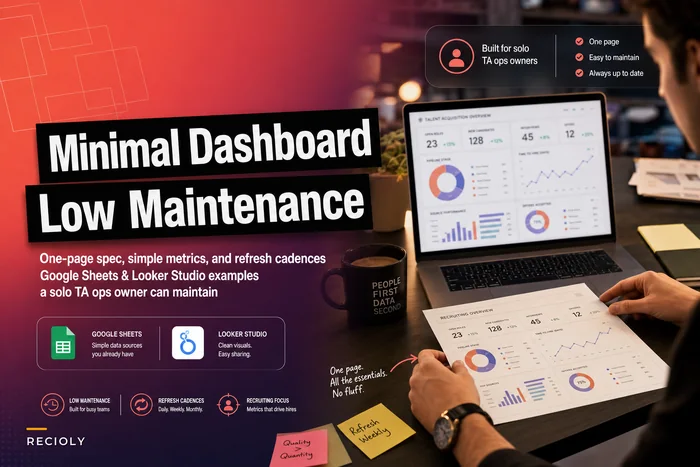
The teams that lose hiring velocity during migrations almost always skipped one of those three — usually the automation inventory, because it's tedious and half the automations were built by people who've since left. That tedious inventory is exactly what protects your funnel. If your reporting can't survive the field remapping, leadership will be flying blind at the worst possible moment. Having even a simple, stable recruitment dashboard that you can rebuild identically on the new system is worth setting up before you touch anything else.
A migration isn't a data transfer with a launch date. It's a controlled operational change with gates, safety nets, and a clear way to retreat — designed so that the people who depend on your pipeline never feel the ground move underneath them.
Ready to elevate your hiring process?
Join 1,500+ recruiting teams using Recioly to save time, improve collaboration, and hire smarter.